


What Causes Smartphone Proximity Sensors to Stop Working?
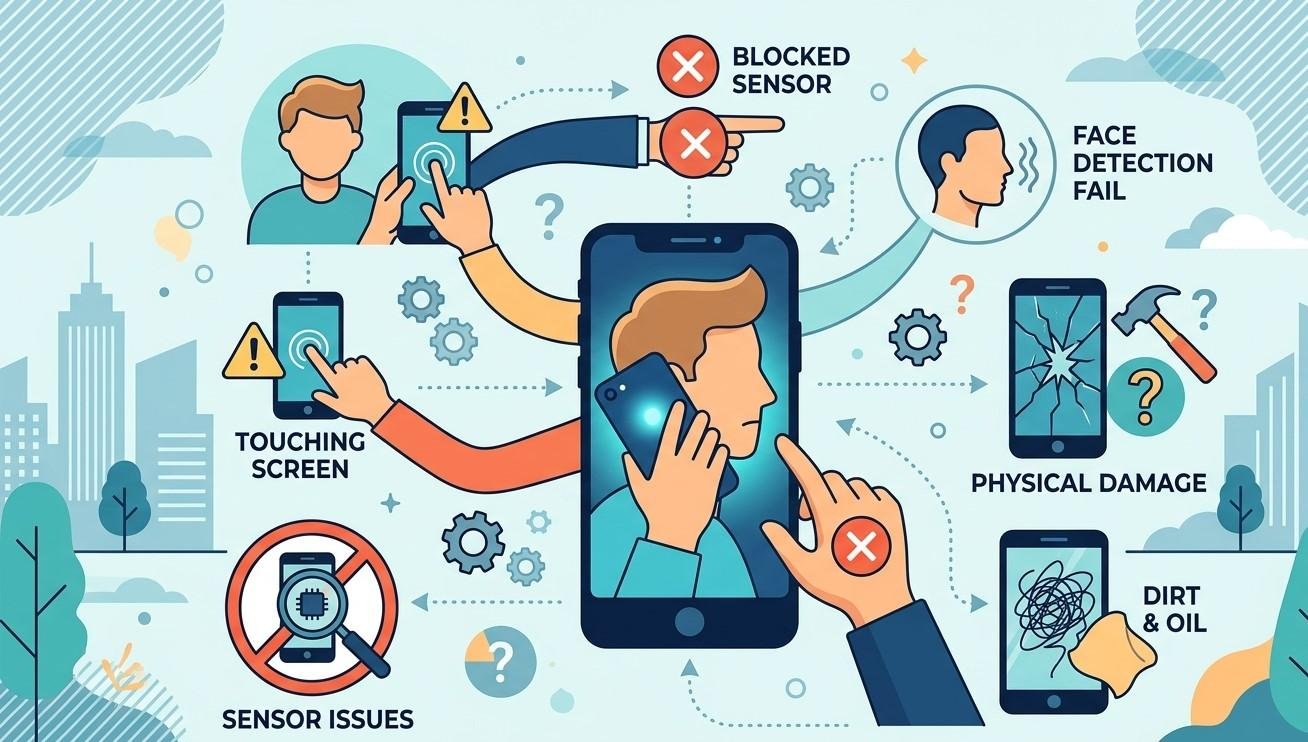
Smartphone proximity sensors play an important role in everyday phone use, especially during calls. They detect when the device is close to your face and can automatically turn off the display to prevent accidental touches. When this sensor stops working correctly, the screen may remain active during calls, causing unwanted touches or unexpected app activity. Problems can result from software glitches, screen protectors, dirt, physical damage, or internal component failures. If basic troubleshooting does not solve the issue, professional services such as iphone repair in regina can help identify the underlying cause. NanoTech Mobile provides professional smartphone repair solutions designed to diagnose hardware and software problems accurately.
What Is a Smartphone Proximity Sensor?
A proximity sensor is a small component typically positioned near the top of a smartphone's display. Its primary purpose is to detect nearby objects, particularly your face when making a phone call.
When you hold your smartphone against your ear, the sensor detects the proximity of your face and signals the device to turn off the display. When you move the phone away, the screen normally turns back on.
Although this process happens automatically, several hardware and software components must work together for the sensor to operate properly.
Dirt and Debris Around the Sensor
One of the simplest causes of proximity sensor problems is dirt or debris around the sensor area.
Dust, fingerprints, makeup, and other particles can accumulate around the top portion of the display. If the sensor becomes partially blocked, it may have difficulty detecting nearby objects accurately.
Regularly cleaning the screen with a soft, lint-free microfiber cloth can help keep the sensor area clear. Avoid using excessive liquid or harsh cleaning products, as moisture can potentially enter openings around the display.
Screen Protectors Can Interfere With Sensor Performance
A poorly installed or incompatible screen protector can sometimes interfere with the proximity sensor.
Some protectors may cover the sensor area, contain bubbles, or be positioned incorrectly. Privacy protectors and thicker glass can also potentially affect how certain sensors operate.
If the proximity sensor began behaving incorrectly after installing a new screen protector, temporarily removing it can help determine whether the protector is contributing to the problem.
Software Glitches and System Errors
Not every proximity sensor problem is caused by hardware.
Temporary operating-system glitches can affect individual smartphone features, including sensors. An application conflict or system error may cause the sensor to behave inconsistently.
Restarting the phone is a simple first troubleshooting step. Installing available system updates can also help because manufacturers periodically release software improvements and bug fixes.
If the problem appears only occasionally, software may be a more likely explanation than permanent hardware damage.
Problems Following a Screen Replacement
A proximity sensor issue can sometimes appear after a smartphone display has been replaced.
Modern phones contain several small components and flex cables near the display assembly. During repair, improper installation, damaged connectors, or incompatible components can affect sensor functionality.
This does not mean every screen replacement causes sensor problems. However, if the proximity sensor stopped working immediately after a screen repair, having the device professionally inspected is a sensible step.
Experienced technicians can check the sensor assembly, connectors, and replacement components to determine whether the repair is related to the issue.
Physical Damage From Drops or Impacts
A smartphone can experience internal damage even when its exterior looks relatively normal.
A strong impact may affect the proximity sensor, its connection, or nearby components. If the phone was dropped shortly before the sensor began malfunctioning, physical damage should be considered.
Repeated drops can also loosen internal connections over time, potentially causing intermittent sensor behavior.
Professional diagnostics can help determine whether the sensor itself is damaged or whether another internal component is responsible.
Water and Liquid Exposure
Liquid exposure can create a variety of unexpected smartphone problems.
Moisture can affect sensors, connectors, flex cables, and motherboard components. In some cases, a phone may continue working normally immediately after exposure, with problems appearing later as corrosion develops.
If the proximity sensor began failing after contact with water or another liquid, avoid repeatedly testing or charging the device. Professional inspection can help identify possible internal moisture or corrosion before the damage becomes more extensive.
Hardware or Sensor Failure
Like other electronic components, proximity sensors can eventually fail.
A defective sensor may cause symptoms such as:
- The screen staying on during calls.
- Accidental touches while the phone is against your face.
- The display turning off unexpectedly.
- Inconsistent sensor responses.
- The screen failing to wake correctly after a call.
If troubleshooting does not resolve these symptoms, the sensor or related circuitry may require professional attention.
How Professionals Diagnose Proximity Sensor Problems
Professional diagnosis is important because several different problems can produce similar symptoms.
A technician may inspect the sensor area, test the device's sensor functions, examine relevant connectors, and check for signs of physical or liquid damage. Software-related causes can also be considered before hardware replacement is recommended.
For customers looking for samsung phone repair in regina, a professional diagnostic process can help determine whether the problem involves the sensor, display assembly, software, or another internal component.
The advantage of professional diagnostics is that repairs can be based on the actual cause instead of replacing components unnecessarily.
Simple Steps to Try Before Professional Repair
Before taking your smartphone to a repair provider, you can try a few basic solutions:
- Clean the top portion of the display with a dry microfiber cloth.
- Restart the smartphone.
- Check for available software updates.
- Temporarily remove the screen protector if it may be covering the sensor.
- Test the phone during several calls to determine whether the issue is consistent.
- Consider whether the problem started after a drop, liquid exposure, or recent repair.
If the problem continues after these steps, professional inspection is recommended.
Why Choose Professional Smartphone Repair?
Proximity sensors are small and integrated into a smartphone's internal design, making them difficult to diagnose or repair without appropriate tools and technical knowledge.
At NanoTech Mobile, professional technicians can assess smartphone problems and determine whether the issue is related to software, installation, physical damage, or component failure. Whether you require iphone repair in regina or samsung phone repair in regina, professional diagnostics can help ensure the correct repair approach is selected.
Conclusion
A smartphone proximity sensor can stop working because of dirt, screen protectors, software glitches, previous repairs, physical impacts, liquid exposure, or internal component failure. Identifying the exact cause is important because replacing the sensor may not solve the problem if another component is responsible.
Simple cleaning, restarting the phone, updating the software, and checking the screen protector can resolve some minor issues. However, persistent problems should be evaluated by an experienced technician. For dependable iphone repair in regina and samsung phone repair in regina, NanoTech Mobile can provide professional diagnostic and repair solutions to help restore your smartphone's functionality and reliability.
 Spanish
 English
 Arabic
 French
 Portuguese
 Deutsch
 Turkish
 Dutch
Dutch
 Italiano
 Russian
 Romaian
 Portuguese (Brazil)
 Greek
Greek